> ## Documentation Index
> Fetch the complete documentation index at: https://docs.anchorbrowser.io/llms.txt
> Use this file to discover all available pages before exploring further.
# n8n
> Integrate Anchor Browser with n8n for no-code automation workflows
## About n8n
[n8n](https://n8n.io/) is an open-source workflow automation platform that lets you connect apps and services together to build powerful workflows — without writing code.
## Quick Start
Use our node to enhance your automation workflows with Anchor Browser powerful tools.
### Node Installation
Install the Anchor Browser node from the n8n community nodes:
```bash theme={null}
npm install n8n-nodes-anchorbrowser
```
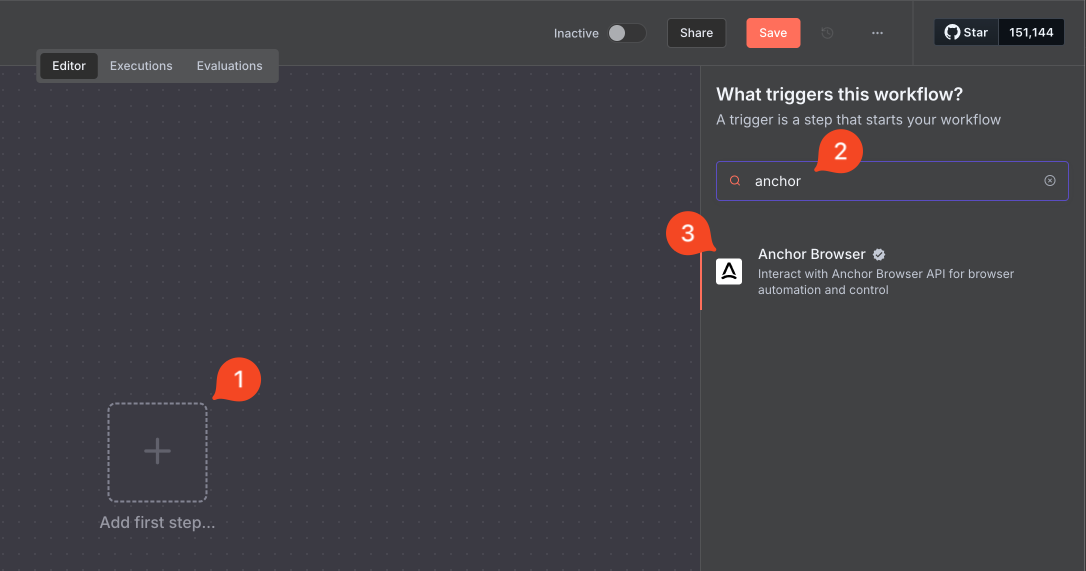 ### Credentials Setup
Set up your Anchor Browser API credentials:
### Credentials Setup
Set up your Anchor Browser API credentials:
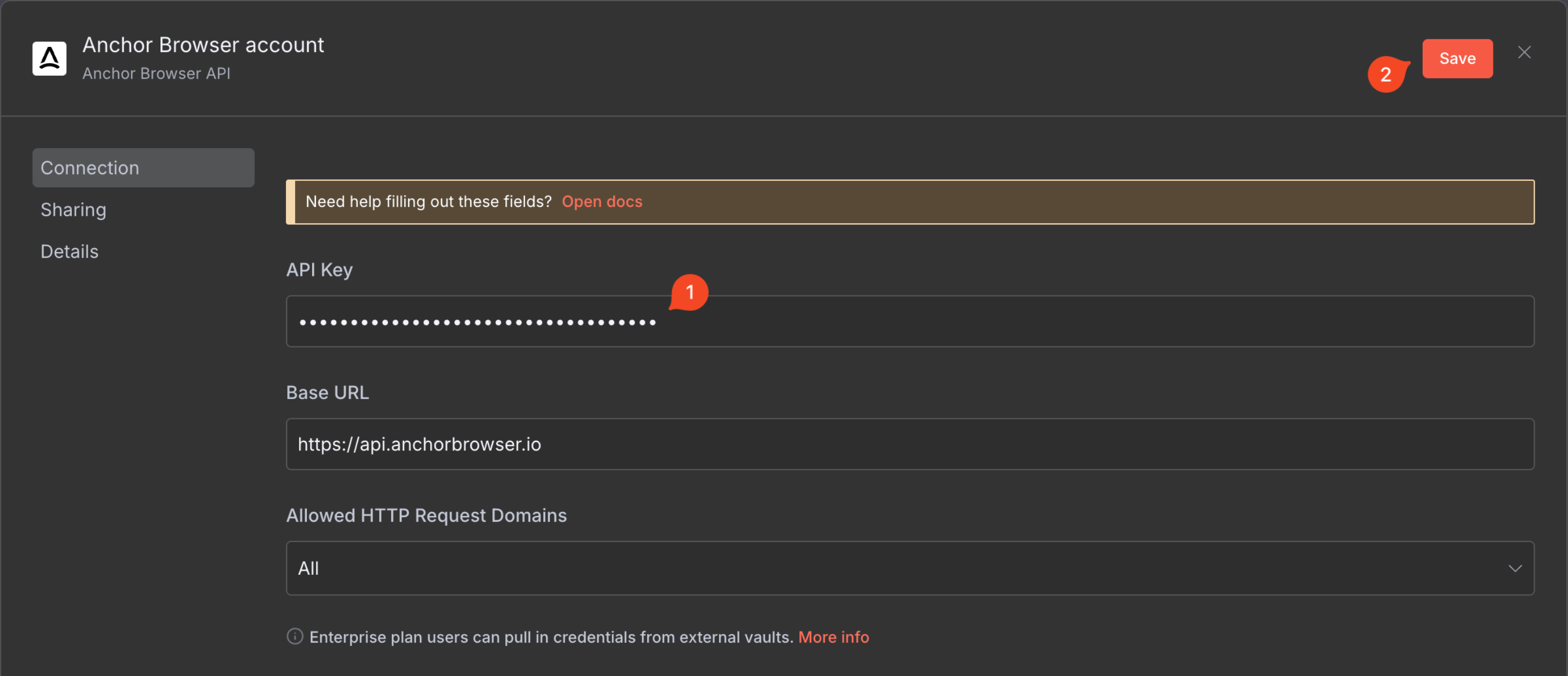 Make sure after saving that the connection is tested successfully.
 ### Node Selection
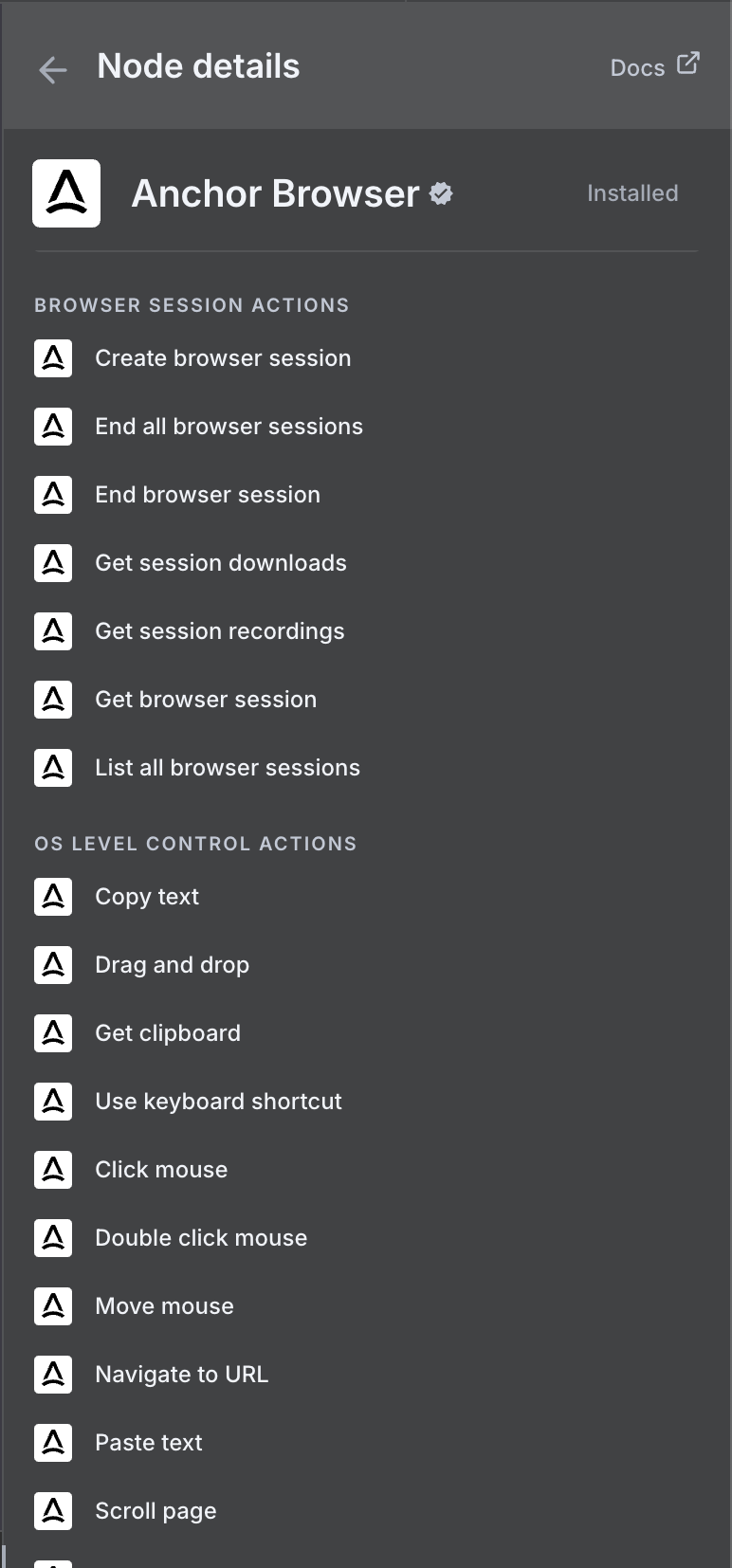
 Use our [AI Task Completion](/agentic-browser-control/ai-task-completion) node to perform various tasks in a single operation.
### Node Configuration
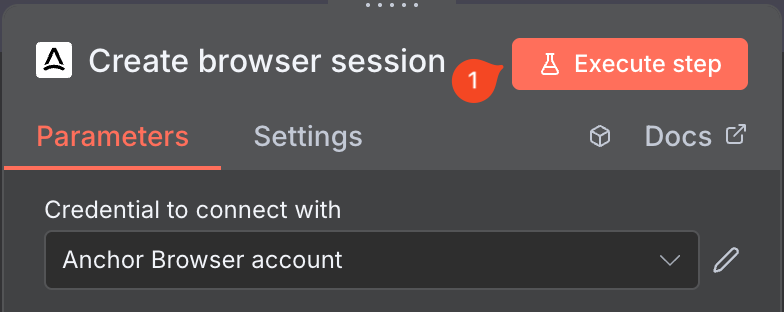
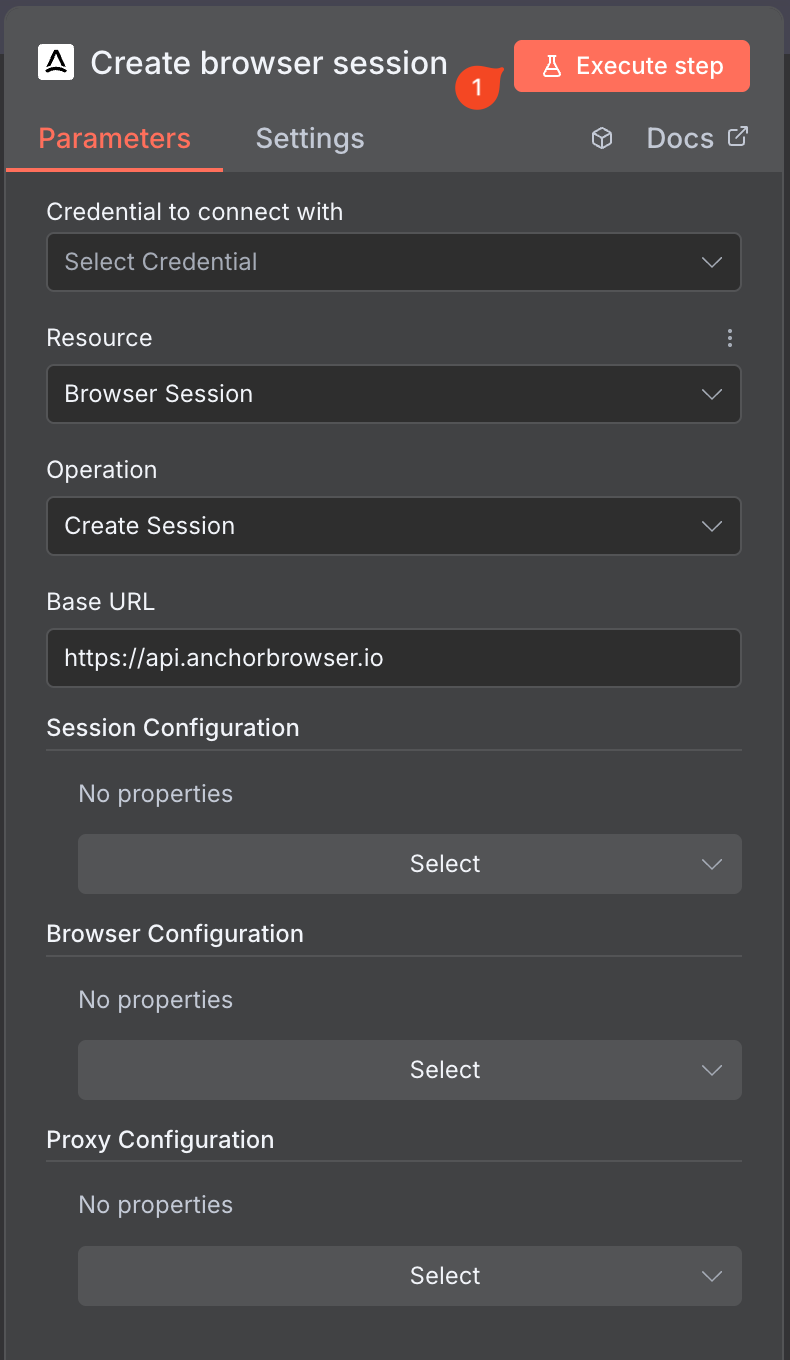
Configure your Anchor Browser node with the necessary settings, and then Execute step.
Use our [AI Task Completion](/agentic-browser-control/ai-task-completion) node to perform various tasks in a single operation.
### Node Configuration
Configure your Anchor Browser node with the necessary settings, and then Execute step.
 ### Task Configuration
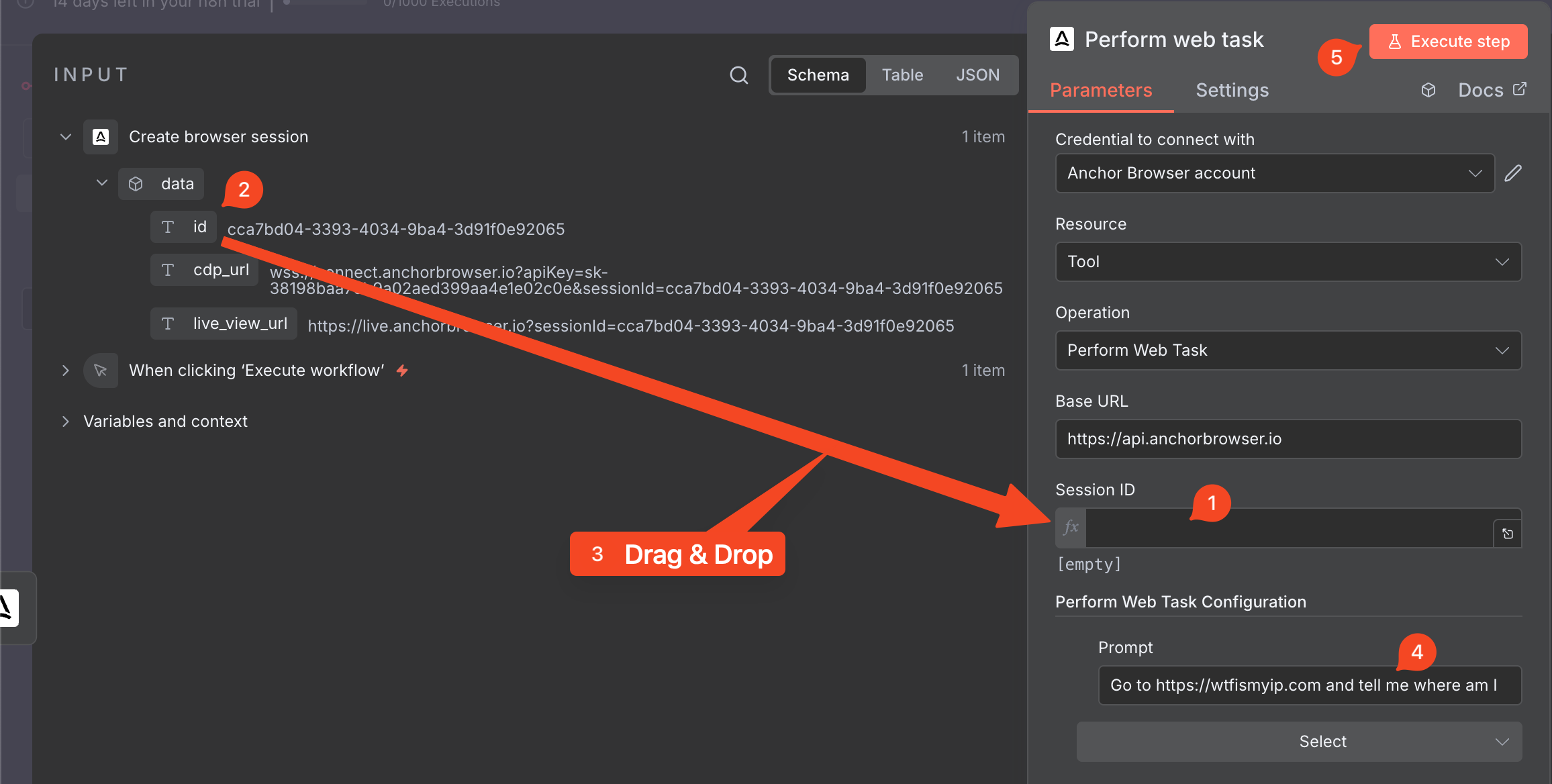
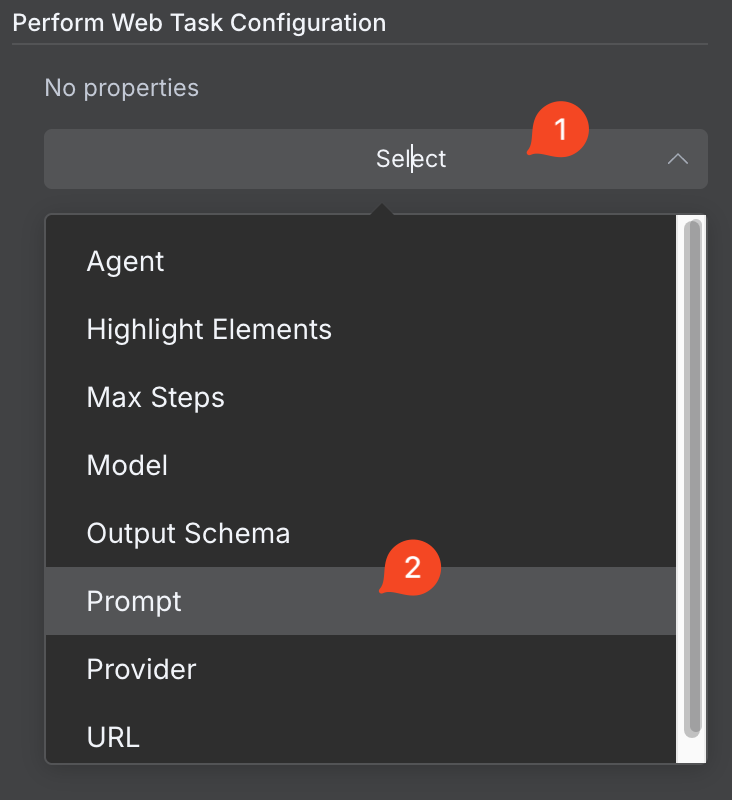
Configure your browser automation task:
### Task Configuration
Configure your browser automation task:
 ***
## Getting Help
If you experience any issues with Anchor Browser n8n node, please contact our support team at [support@anchorbrowser.io](mailto:support@anchorbrowser.io).
***
## Getting Help
If you experience any issues with Anchor Browser n8n node, please contact our support team at [support@anchorbrowser.io](mailto:support@anchorbrowser.io).